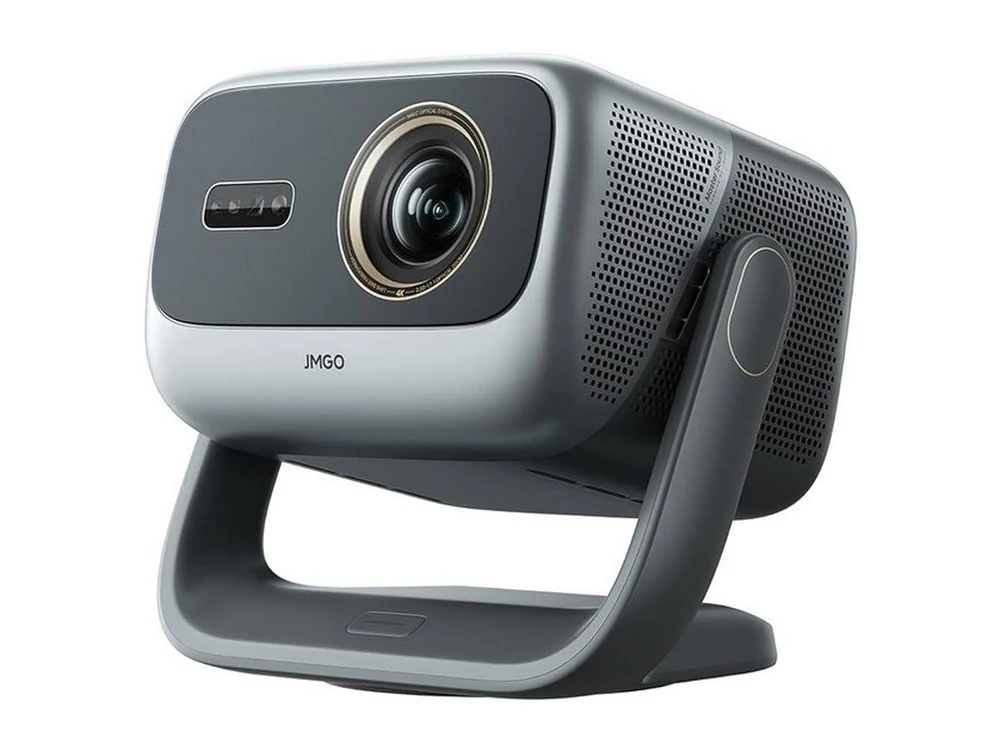
JMGO N5S Ultra Max projector
Photo: JMGO N5S Pro — the N5S series body
JMGOSupported

JMGO N5S Ultra Max Chinese Version — English Interface

The China-market JMGO N5S Ultra Max (Android 11) with a full English system, the JMGO settings in English and the AmnesiaOS home screen. No firmware flashing. Tested on this exact model.

  • System language and the JMGO settings in English
  • AmnesiaOS home screen on the Home button
  • Installs from a USB stick — no computer, no remote session
  • Verified on a JMGO N5S Pro — same platform
$65one projector · price confirmed with your model
Compatibility

Is this
your projector?

Which model
The China-market JMGO N5S Ultra Max on Android 11.
  • The JMGO N5, N5 Pro, N5 Pro Max, N5 Ultra and N5 Ultra Max are different devices and this page does not apply to them. Within one series the board and the Android version can differ, so the model name has to match in full.
  • Only the Chinese version is supported. An international unit (Horizon, Elfin, Halo and the like) already runs English firmware and does not need us.
How to check
The exact model name is on the box, on the purchase documents or on the sticker on the case: it has to read JMGO N5S Ultra Max.
Last tested · September 2026
The install was verified on a JMGO N5S Pro: every component of the set installed, the system language switched and the AmnesiaOS home screen came up. The JMGO N5S Ultra Max uses the same platform and gets the same set.
Firmware

Looking for Global or International Firmware for the JMGO N5S Ultra Max?

Owners of a Chinese JMGO N5S Ultra Max usually search for a “global” or “international” firmware image, a global ROM, or a way to flash the unit from CN to Intl. It is worth being clear about what we do and what we do not do.

AmnesiaOS does not flash an official JMGO global firmware image, and does not turn a Chinese unit into the international version. Cross-region flashing on these boards is not something we offer, and getting it wrong is how projectors end up bricked.

What we do instead is change the language to English on the firmware you already have: the system language, the settings screens and the home screen, so you get proper English menus rather than a half-translated one. Your firmware, your warranty state and your bootloader stay as they are — AmnesiaOS installs as an ordinary Android application. What changes and what stays untouched is listed in full below.

Before you buy

Chinese Version vs Global Version of the JMGO N5S Ultra Max

People comparing a Chinese JMGO N5S Ultra Max with the global version are weighing a real price gap against the software. The panel, the optics and the chassis are the same device; what differs is what runs on it — Chinese menus, a China-focused app set and services that expect a Chinese account.

That software gap is exactly the part AmnesiaOS closes. What it does not do is make your unit the international model: the model code and anything the manufacturer ties to the region stay as they are. If you specifically need the official global unit — local warranty handling, for instance — buy the global version.

Using a Chinese JMGO N5S Ultra Max in the US or the UK: once the interface is fully English it behaves like any other Android projector on your network, and you do not need a Fire Stick or a Roku just to get a readable menu. Check the power lead and plug for your country before you buy — that is a hardware question we do not touch.
The result

What changes
after the install

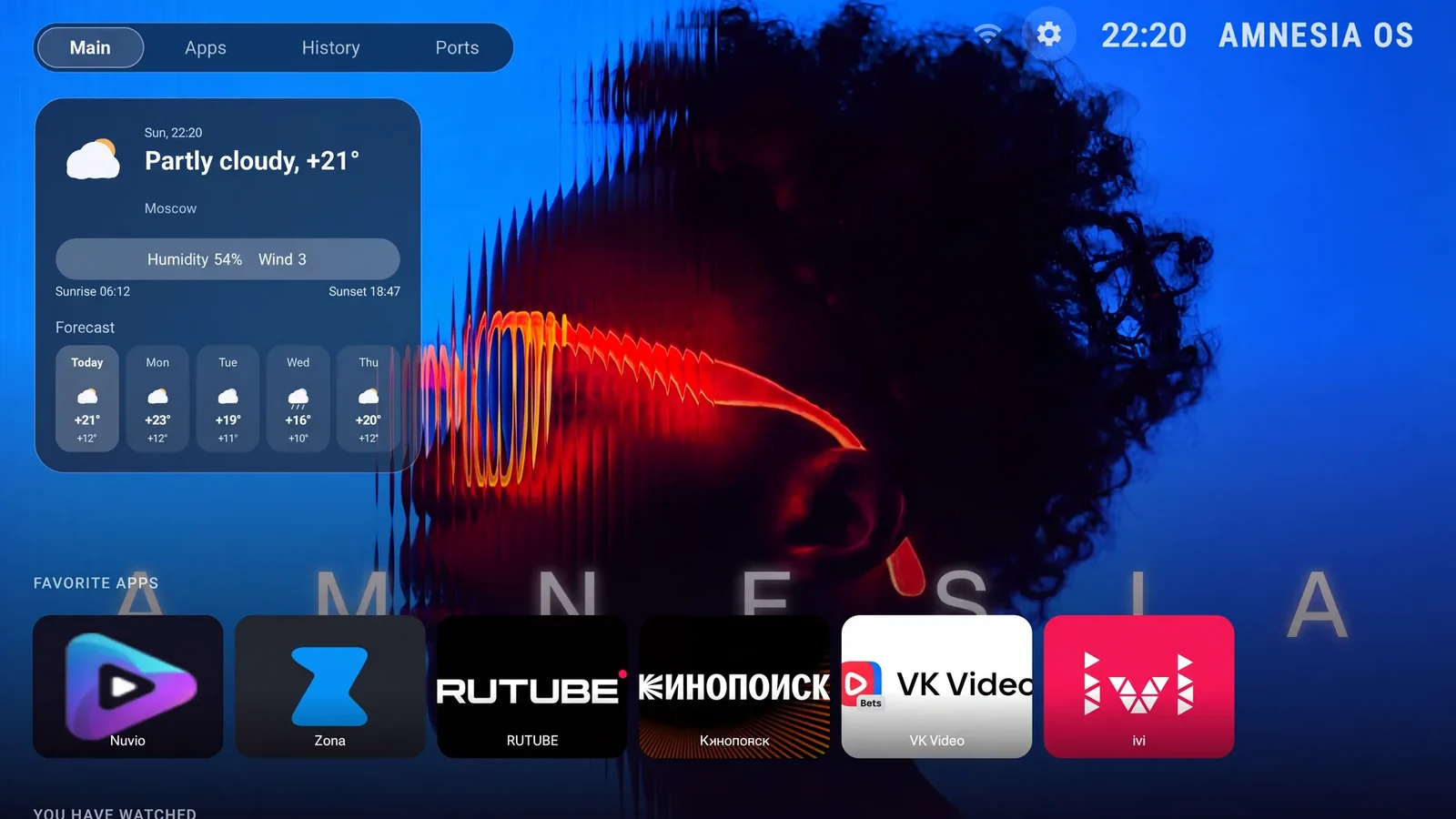
AmnesiaOS interface — home screen
Illustration · AmnesiaOS
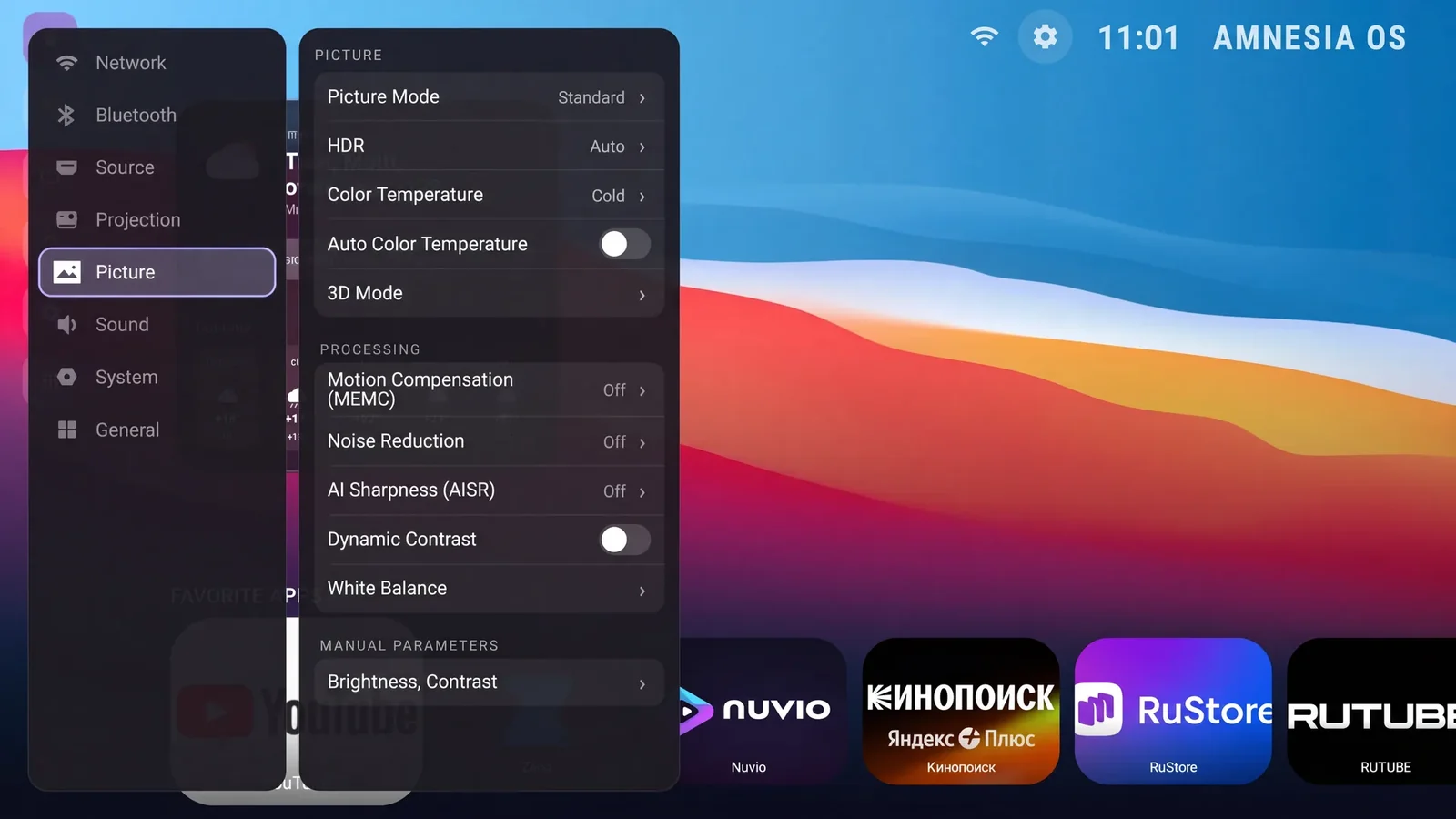
System language

English.

Projector settings in English
Illustration · AmnesiaOS
Home screen

The AmnesiaOS launcher, in English, replaces the stock JMGO home screen.

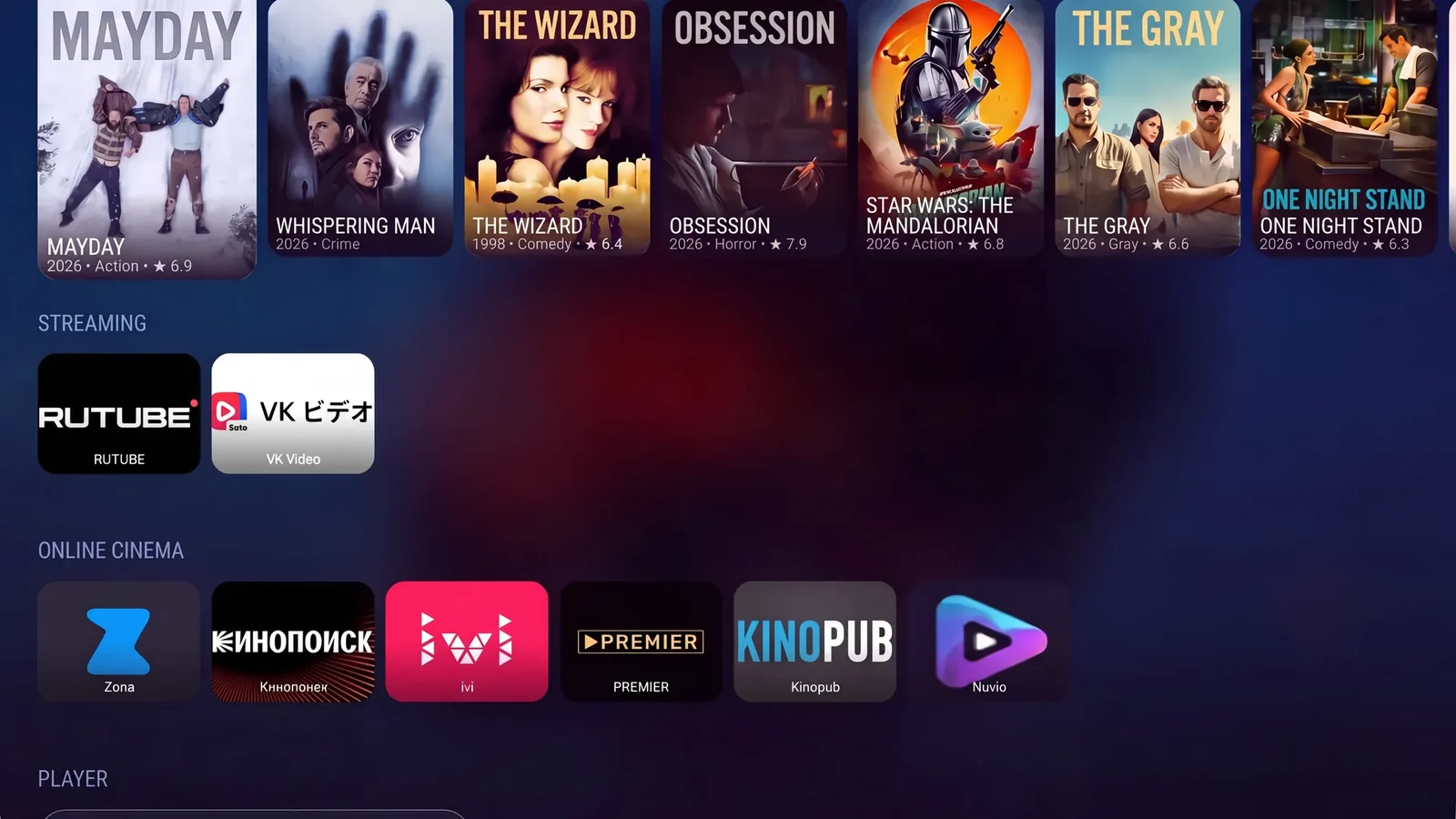
AmnesiaOS — installed apps
Illustration · AmnesiaOS
Home button

Opens AmnesiaOS.

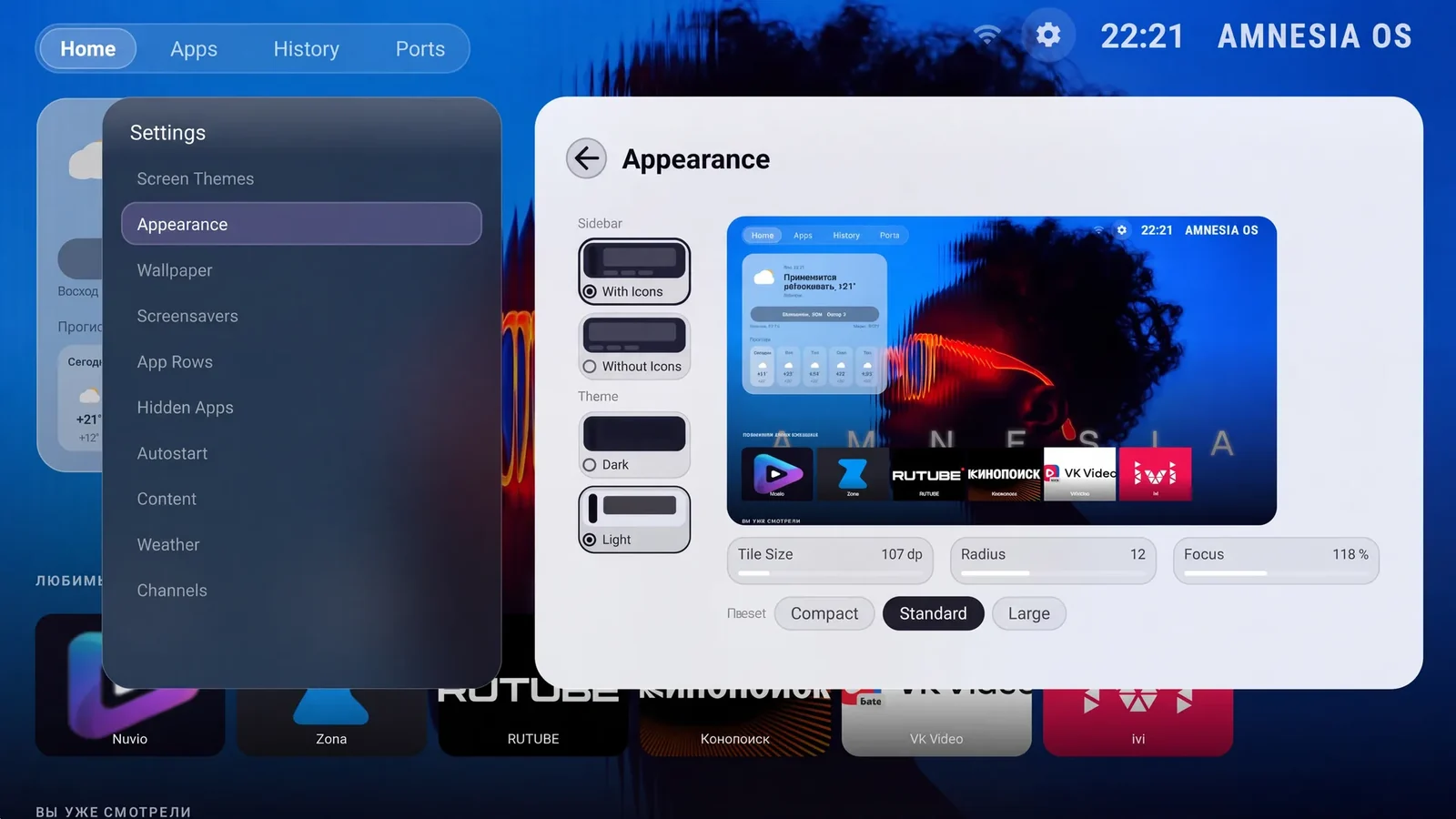
AmnesiaOS — appearance
Illustration · AmnesiaOS
AmnesiaOS settings

The English AmnesiaOS settings open on top of the stock JMGO menu.

Keyboard

An on-screen keyboard you can actually type on with the remote.

App stores

Emotn Store and Aptoide TV — install anything else yourself.

Apps

Streaming apps, live TV, players and a browser are installed and working from the first boot — 13 apps.

What gets installed

The AmnesiaOS launcher, the English settings overlay, the on-screen keyboard and these apps:

Aptoide TV
Nuvio
HBO Max
Hulu
Plex
Crunchyroll
Kodi
Emotn Store
YouTube without ads (SmartTube)
TiviMate
Netflix
YouTube TV
AI Browser

Installing an app does not by itself grant access to content: playback depends on the service.

Stays in the original language
  • The quick-settings panel can stay partly in Chinese.
  • App interfaces are in whatever languages those apps themselves support.
Not included
  • Voice search and the voice assistant.
  • A guarantee that every single system screen is translated.
  • Subscriptions or access to content inside the apps.
  • Flashing an official global or international firmware image.
How the install works

Three steps
to an English projector

Everything happens on the projector itself. No computer needed.

Choose your model
and pay

Select your model, enter its serial number and email, then review the total and pay. Checkout is in English.

No technician · no screen sharing

Get the installer
built for your device

We email you a download link. Download the file and copy it to an ordinary USB stick.

Any USB stick · FAT32

Run it
on the projector

Connect the projector to the internet, plug in the stick and start the installer — it downloads the files for your model. The projector reboots itself at the end.

The projector needs internet
Before you start

What you need

A USB stick formatted as FAT32.
The projector connected to the internet: the installer downloads the files for your model.
The serial number of the JMGO N5S Ultra Max — the licence is issued against it.
The projector reboots itself at the end: the AmnesiaOS home screen appears after that reboot.
Get started

English for
your projector

The licence is issued against the serial number. If you are not sure which model you have, write to support@amnesiaos.com before you order.

01
A build for your device only
Every build is tied to your serial number — it will not run on any other projector
02
Secure online payment
Review your order and pay with Robokassa. Your international installer is available after payment confirmation.
03
No remote technician
No appointment and no screen sharing: you run the installer from a USB stick when it suits you
04
Support after the install
Questions about the install — support@amnesiaos.com
Your order
Review the total, pay securely, then download your international installer
Projector model
JMGO N5S Ultra MaxSupported
Where to find it: the sticker on the case, or the device information screen in the settings
Price—
🔒 Pay securely with Robokassa · Review USD price and RUB total before payment
Worth knowing

Known limitations

The China-market JMGO N5S Ultra Max only.
The licence covers one projector, the one with the serial number you give us.
We do not replace the firmware and do not install an official global image.
Questions and answers

Frequently asked questions

Can I change the JMGO N5S Ultra Max from Chinese to English?
Yes. The system language, the stock settings screens and the home screen come up in English. The quick-settings panel can stay partly in Chinese.
Can I install global firmware on the JMGO N5S Ultra Max instead?
We do not flash an official JMGO global or international firmware image, and we do not turn a Chinese unit into the international model. AmnesiaOS localises the firmware that is already on the projector.
Does this replace the original firmware?
No. AmnesiaOS installs as an ordinary Android application. We never flash firmware, never unlock the bootloader and never open the case.
What opens when I press Home on the remote?
The AmnesiaOS home screen.
Which apps come with it?
The set installed on this model: Aptoide TV, Nuvio, HBO Max, Hulu, Plex, Crunchyroll, Kodi, Emotn Store, YouTube without ads (SmartTube), TiviMate, Netflix, YouTube TV, AI Browser. Installing an app does not by itself grant access to content — playback depends on the service.
Does this work on other JMGO models?
No. This page is only about the JMGO N5S Ultra Max. The status of every other model is in the supported models catalogue.
Does the Chinese JMGO N5S Ultra Max work in the US or the UK?
Yes — it is an ordinary Android projector on your own network, and after the install the menus are in English rather than Chinese. The one thing to check before you buy an imported unit is the power lead and plug for your country.
Can it be installed without internet?
No: the installer downloads the files for your model while it runs.
Do I need a technician or a remote session?
No. There is no appointment, no screen sharing and no time-zone juggling — you run the installer from a USB stick when it suits you.